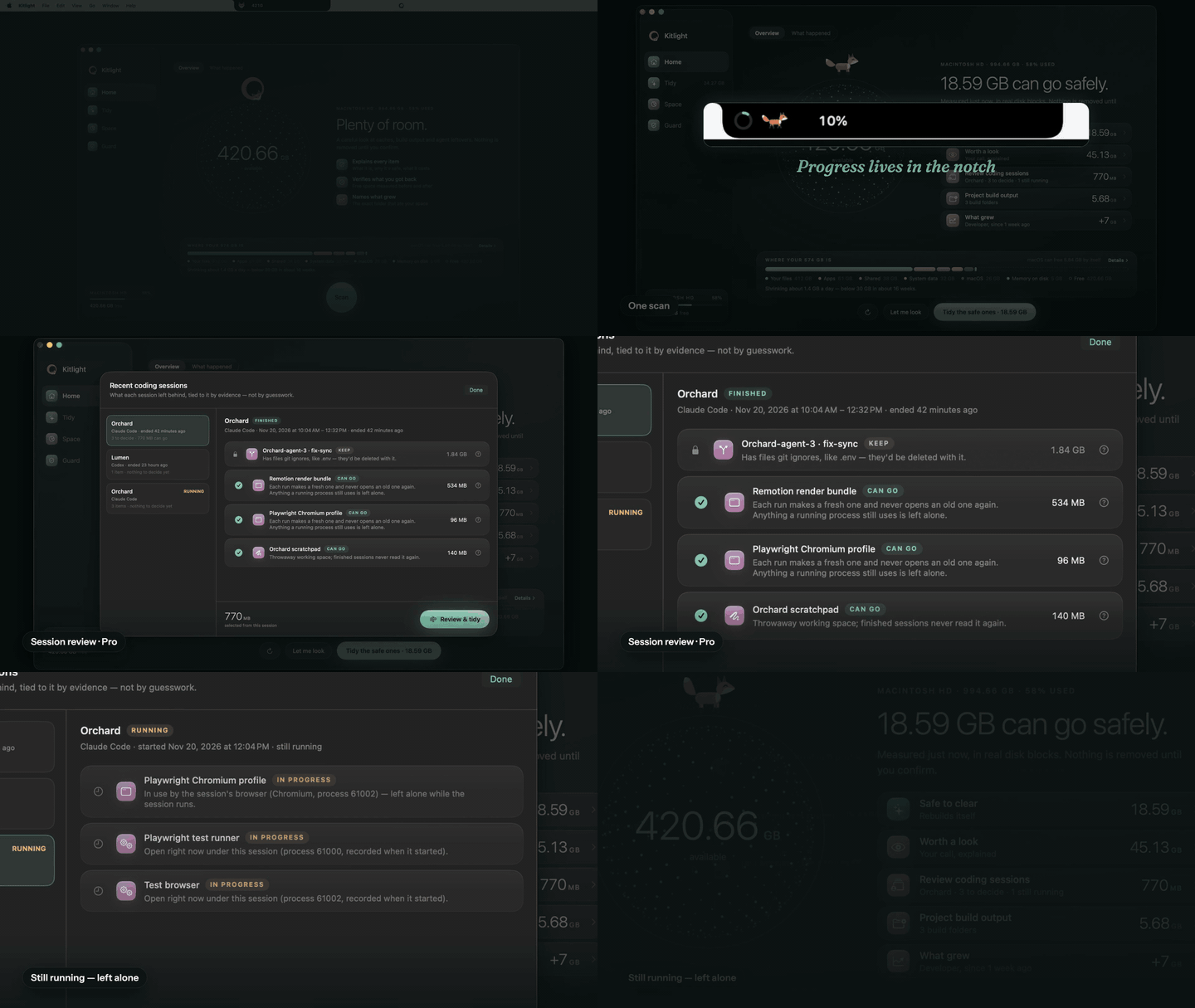
One scan
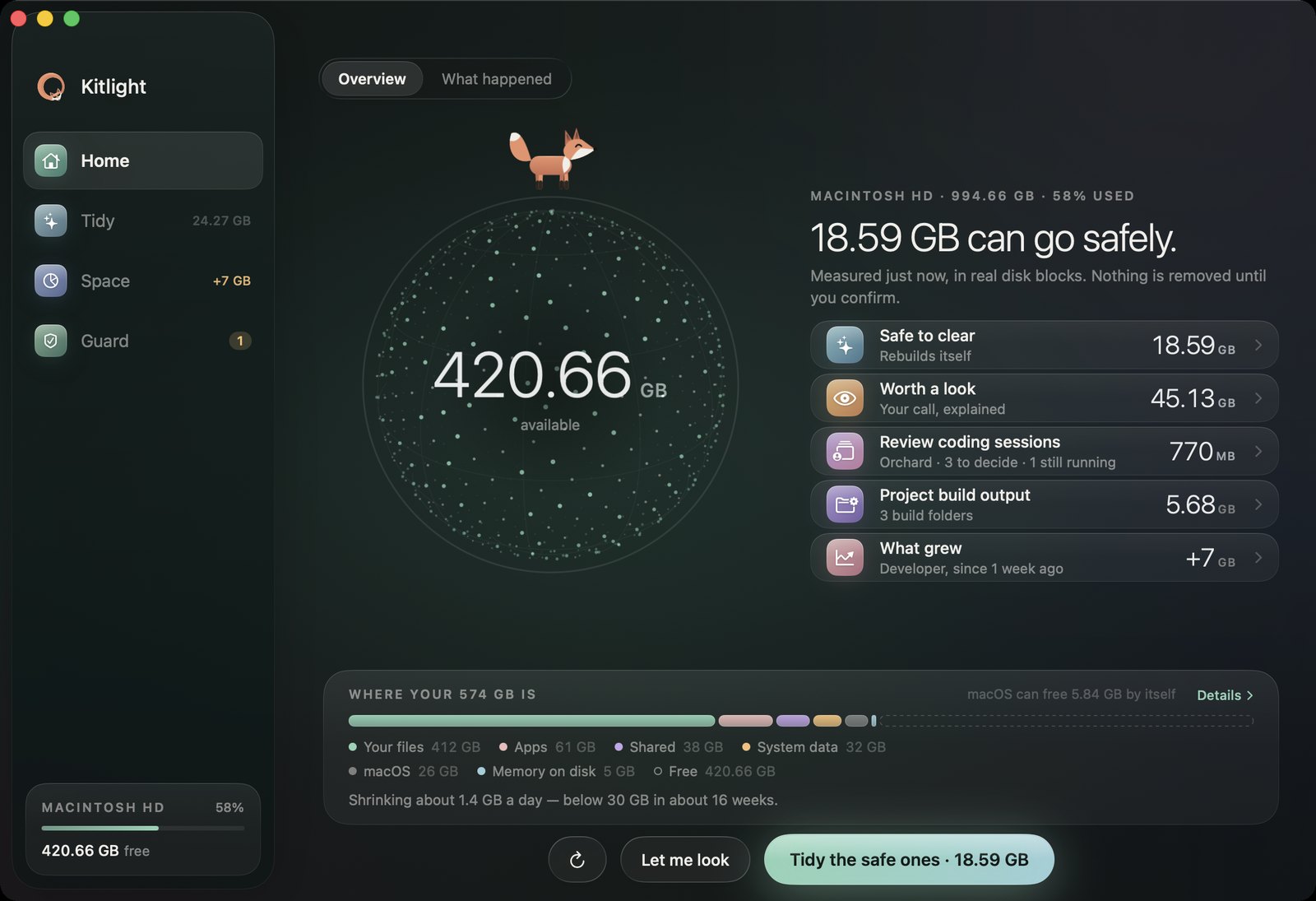
See what can safely go — and what grew
Caches that rebuild themselves, agent leftovers, project build output, local models. Measured in real disk blocks, explained in plain words.
Carefully. It explains every item, keeps what's still in use, and shows how much space really came back.
Signed and notarized by AppleWorks entirely on your MacNo account
Every item says what it is, why it's safe and what removing it costs — before anything happens. Nothing goes until you say so.
Anything a running app or agent is using is left alone. A worktree with unsaved work or a .env file is shown, but kept.
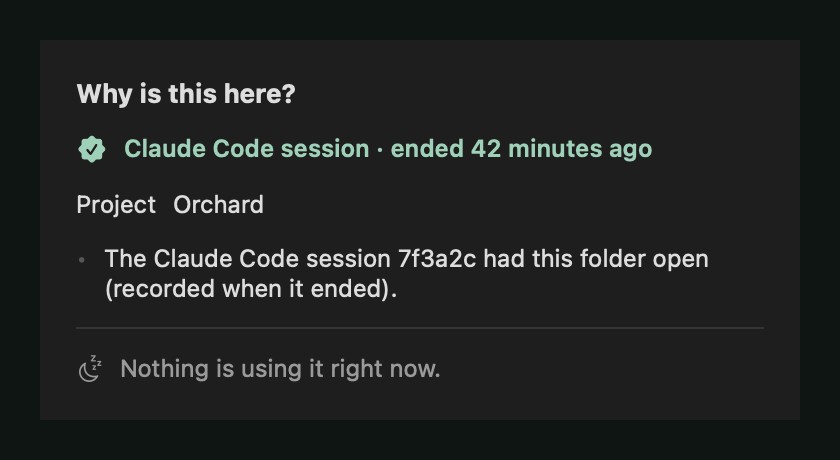
"Why is this here?" names the project and session behind every AI leftover. Afterwards it measures the disk again, so the number is real.
Caches that rebuild themselves, agent leftovers, project build output, local models. Measured in real disk blocks, explained in plain words.
What a Claude Code or Codex session left behind — its worktree, scratch, browser profiles and processes — each with a reason to keep or remove it.
A session that's still running is shown, but nothing in it can be ticked.
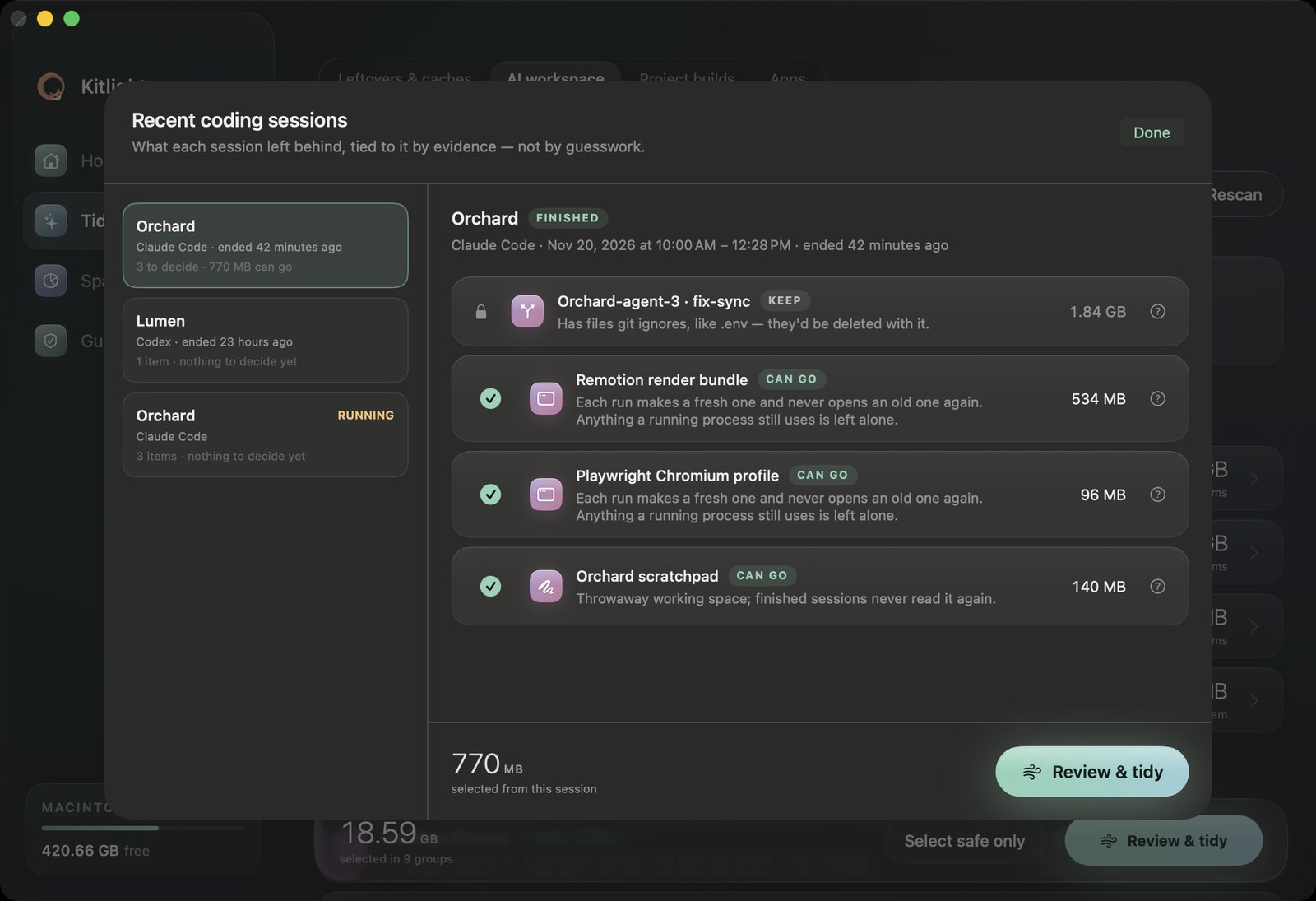
Which project and session an item belongs to, how Kitlight knows, and what is using it right now. When timing is all it has, it says so.
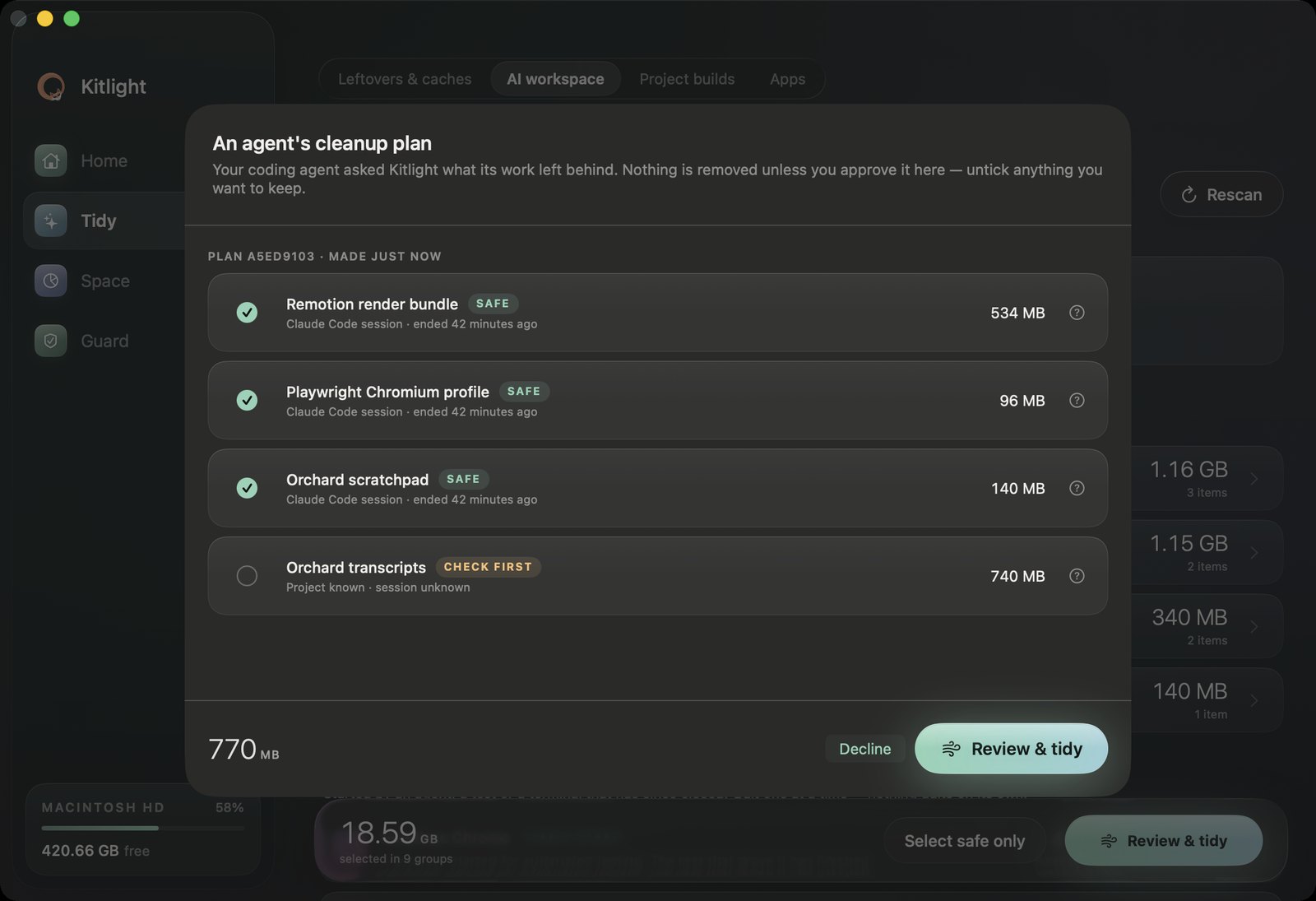
Coding agents can ask Kitlight for a cleanup plan through the CLI or MCP. You review it in Kitlight, untick anything, approve — and the agent gets a receipt. Agents can't delete anything themselves.
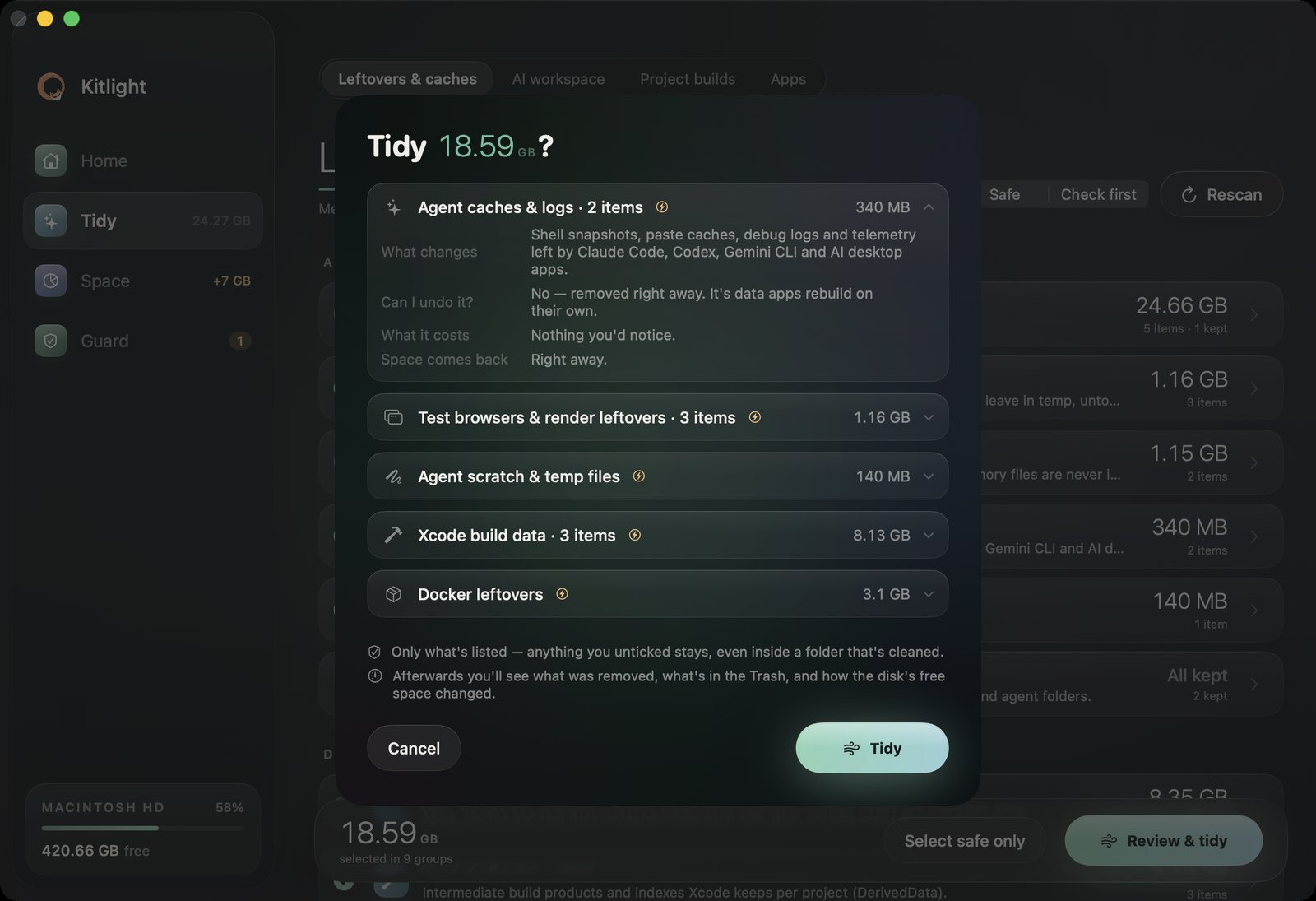
What changes, whether you can undo it, what it costs. Your files go to the Trash and come back with one click.
Start the trial in Kitlight › Settings › Kitlight Pro. Stop paying and Pro stays on in every version released while you were subscribed. Keys are checked on your Mac.
Requires macOS 26 Tahoe or later · Apple silicon and Intel
No. Kitlight makes no network connections — no account, no analytics, no crash reporter. Licence keys are checked offline, and session records stay in your Library folder.
Your files go to the Trash, and History puts them back with one click. Caches that rebuild themselves are removed directly; the review says which is which before you confirm.
No. It checks what running processes have open, when it scans and again right before it removes anything. A session that's still running can't be tidied.
A Mac with macOS 26 Tahoe or later, Apple silicon or Intel. Full Disk Access is optional; without it a few private folders are skipped.
Kitlight is made by Rocky Stone Labs and published by Shanghai Douli Sports Technology Co., Ltd. — the name macOS shows when you open it. Screenshots and the film use Kitlight's demo mode.